Free Online Flipkart Label Cropper & Thermal Printer Formatter
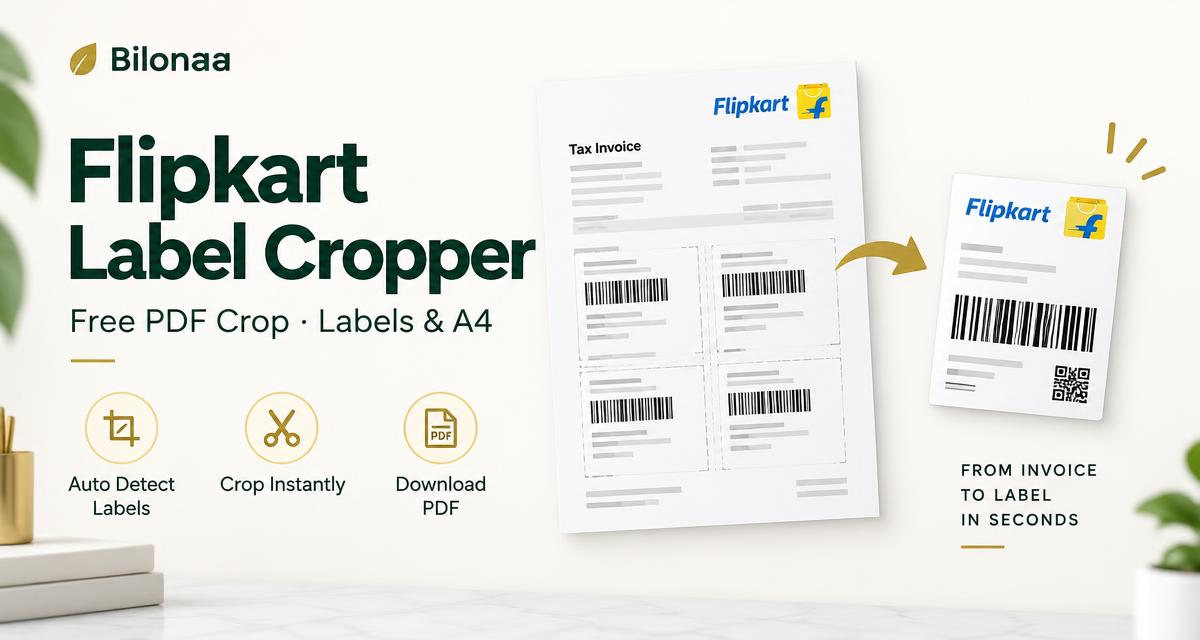
Free Flipkart PDF label cropper for shipping labels and invoices. Process a supported Flipkart A4 invoice PDF locally in your browser and download the cropped file.
This tool is made with❤byTECYU
How to Crop Flipkart Shipping Labels Online (Step-by-Step)
- Flipkart Seller Central se apni order invoice PDF download karo.
- Upar Upload Label PDF par wo PDF choose karo.
- With Invoices ya Without Invoices select karo.
- Labels (har label alag page) ya A4 Mode choose karo. A4 par bina invoices 4 labels; invoices ke saath 2 labels aur unke 2 invoices aate hain.
- Download Cropped PDF dabao — ready-to-print file turant download ho jayegi.
Why Use Bilonaa Flipkart Label Cropper?
Bulk PDF Processing
Bulk Flipkart label cropper: multi-page PDF ke saare labels ek saath crop hote hain — ek-ek karke crop karne ki zaroorat nahi.
100% Free & Secure – No Data Stored
PDF aapke browser me hi process hoti hai. Files kabhi server par upload ya save nahi hoti.
One-Click Download Ready for Dispatch
Cropped labels seedha print ke liye ready — packaging aur dispatch fast ho jata hai.
Flipkart Label Crop for Thermal Printers — Using 4×6 Paper
Cropped label ka actual size lagbhag 3.07 × 5.07 inch hai (221 × 365 PDF points), exact 4×6 inch nahi. TVS, TSC, Zebra ya kisi aur compatible barcode printer me 4×6 paper use karte waqt fit-to-page, margins aur print preview check karo; pehle ek test print se barcode readability verify karo. A4 Mode me bina invoices ek sheet par 4 labels, aur invoices ke saath 2 labels aur unke invoices aate hain.
Frequently Asked Questions (FAQ)
How do I crop Flipkart shipping labels for a thermal printer?
Upload a supported Flipkart invoice PDF and choose Labels mode. Each shipping label is cropped to approximately 3.07 × 5.07 inches (221 × 365 PDF points). On 4 × 6 inch media, select fit-to-page in your printer settings and check the print preview before printing.
Is Bilonaa Flipkart Label Cropper free to use?
Yes, the tool is 100% free with no daily limits or watermarks.
Are my Flipkart customer details and PDF files safe?
Yes. Your PDF is processed locally in your browser; neither the file nor its customer details are uploaded to or saved on our servers.
Flipkart label crop kaise kare thermal printer ke liye?
Flipkart invoice PDF upload karo, Labels mode choose karo aur Download dabao. Crop ka size lagbhag 3.07 × 5.07 inch hai. 4 × 6 inch paper ke liye printer settings me fit-to-page select karke preview check karo.
Can I crop multiple Flipkart labels in bulk?
Yes. Upload a supported multi-page PDF for bulk Flipkart label cropping. A4 Mode places up to 4 labels per sheet without invoices, or up to 2 labels with their corresponding invoices per sheet.
Can I use this as a Flipkart invoice and label separator online?
Yes. With Invoices in Labels mode downloads alternating shipping-label and cropped invoice pages. Without Invoices downloads shipping labels only. The tool supports the Flipkart A4 invoice layout shown here; other layouts may not crop correctly.
How do I crop Flipkart labels for a barcode printer?
Use Labels mode, download the cropped PDF and choose a paper size supported by your barcode printer. Check scaling, margins and barcode readability with a test print. This free Flipkart label cutter does not require an account.